Head Tracking Without a Clip on Your Headset
You know the moment. You’re side by side into turn one, you want to check whether the other car is still there, and your only options are a mirror overlay or a “look left” button. Head tracking fixes exactly that: turn your head a few degrees and the in-sim camera follows. Anyone who has tried it once on a properly tuned rig understands why people get so enthusiastic about it.
The problem was always TrackIR. The gold standard, for over a decade. But also: an infrared camera plus a clip on your headset, and a price that sits well over a hundred euros in Europe.
Then VisApex showed up in a few community threads, including on Overtake.gg. Webcam-based head tracking, no clip, no extra hardware. Just software and a camera you probably already own. Sounds too easy. So I went digging into what it is, what it costs, and what you can realistically expect.
What VisApex Actually Is (And Isn’t)
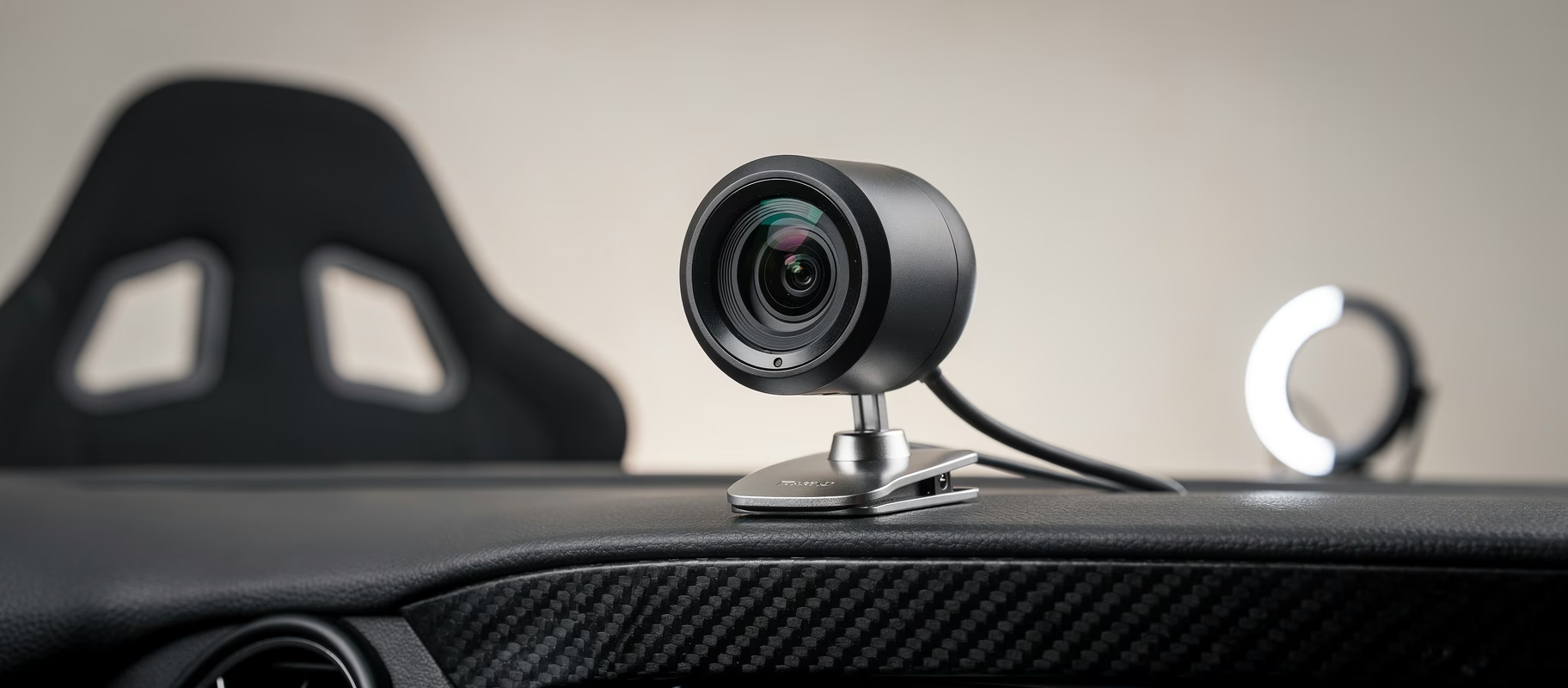
VisApex is Windows software that uses your regular webcam and AI face tracking to turn head movement into camera input for the sim. Full 6DoF, so not just turning but leaning and moving forward too. No infrared LEDs, no reflective clip, no phone strapped to your head.
So no, it’s not a TrackIR clone running on different hardware. It’s a completely different approach: computer vision instead of infrared tracking. That difference is exactly where both the upside and the limitations come from.
The numbers: VisApex has been on Steam since 14 August 2026 for €25.49. There’s a free demo with every feature included that never expires; only the length of each tracking session is capped. That matters. You can find out whether it works on your rig, with your webcam and your lighting, before paying anything.
Does It Work With Your Sim?
This is the first question to ask about any head tracker. VisApex talks to games through three routes:
- FreeTrack 2.0: the protocol TrackIR-compatible games have used for years. iRacing, Assetto Corsa, ACC, Le Mans Ultimate, rFactor 2, the F1 games and DiRT Rally are all listed as tested or compatible.
- OpenTrack UDP: for games and mods that work through opentrack.
- SteamVR Virtual HMD: an experimental trick where VisApex pretends to be a VR headset, so games without head-tracking support still follow your head, on your normal monitor. Automobilista 2 and Project CARS go through this route, and Assetto Corsa EVO is marked experimental.
Mostly racing iRacing, ACC or LMU? You’re on the safe, tested path. Running AMS2 or AC EVO, expect some fiddling and read the developer’s troubleshooting page first.
Setting It Up Without Losing Your Mind
According to the guide, installation is short: put the webcam above or below your monitor, as close to the centre as you can. Run the setup wizard (pick the camera, video quality, and a sim racing or flight sim preset). Sit in your normal driving position, look straight ahead, click “Center”. Done. You can bind that Center button to a key or a wheel button, and you’ll want to, because re-centring mid-session is daily business with every head tracker.
The webcam bar is low: at least 480p at 30 fps, but the developer says 60 fps tracks noticeably smoother. Frame rate matters more than image quality. So an old 720p webcam at 30 fps works, just don’t expect miracles on fast head movements.
The settings go deeper than I expected for €25 software. Per axis (yaw, pitch, roll and the three translations) you can enable or disable, invert, and adjust sensitivity and the response curve. Useful when small movements get exaggerated in-game. Expect to burn an evening tweaking before it feels right, which is true of every head tracker.
Where Webcam Tracking Struggles
Here I need to be honest: VisApex is two weeks old and I haven’t had it on my own rig yet. There are no long-term reviews either. What I can tell you is where webcam-based head tracking struggles in general, because with AITrack, SmoothTrack and the Beam Eye Tracker it’s been the same story for years.
Light. Infrared tracking doesn’t care, face tracking does. VisApex claims reliable tracking in dim indoor light, which is exactly where most rigs live. Where it gets interesting is changing light: a window behind or beside your rig with the sun moving through it over the afternoon. A lamp that doesn’t shine into the lens usually solves that.
Fast movements. At 30 fps the camera simply has fewer frames to work with than a TrackIR at 120 fps. A brief stutter on a quick glance at the mirror is the rule rather than the exception with webcam tracking. Hence the 60 fps advice.
And the simplest limitation: your face has to stay visible. The guide literally says “no significant obstructions”. If you race with a headset that half covers your cheeks, test that in the demo first.
Is It Worth Your Money?
For €25, with a free demo that never expires? Trying it costs you an evening. That’s the answer for anyone who has never experienced head tracking. Some people hate it immediately, too much on-screen movement, too distracting. Better to find that out with a free demo than with a TrackIR bundle north of a hundred euros.
But, and this is a big but, if you race seriously competitive in leagues where every tenth counts, infrared tracking remains the more reliable choice. A fixed reference point on your head and a camera that doesn’t need to know anything about lighting isn’t something face recognition matches. No matter how good the software gets.
So the question isn’t “is VisApex good”. It’s “does this fit how you race”. Evenings of ACC or iRacing with friends? Install the demo tonight. Serious league racing where your position relative to the car alongside decides podium versus DNF? Then the TrackIR investment is probably still the better one.
What I’d Actually Do
Trying head tracking for the first time: start with the VisApex demo. No risk, and within a few sessions you’ll know whether head tracking is for you at all. Got a 60 fps webcam lying around, use that. Put a lamp somewhere that doesn’t hit the lens. Bind Center to a wheel button.
Notice yourself getting hooked on that extra situational awareness through corners? Automatically turning your head to check whether someone’s alongside before the apex? Then you have your answer. You’ll pay the €25 without a second thought, and whether you ever move up to TrackIR depends on how often the tracking lets you down at the wrong moment.
Head tracking changes how you race. Not dramatically, not overnight, but gradually you notice you’re leaning less on the mirror overlay and looking around more naturally, like in a real car. Still weighing a wider screen against VR for more immersion? Read our monitor versus VR comparison too. Head tracking on a single screen sits right between the two, and for €25 it’s a cheap way to find out what you’re actually missing.