Looking for the best Logitech RS50 settings for NASCAR 26? Honest answer: they don’t exist yet. NASCAR 26 came out in mid-September (the Standard Edition on September 18), and Logitech hasn’t published recommended settings for it. What Logitech does have: official RS50 values for NASCAR 25, the previous game from the same studio. That’s where you start. The rest you tune in the game.
Short answer: start from Logitech’s NASCAR 25 values
Logitech keeps a support page with recommended RS50 settings per game, with separate tables for PC, PlayStation and Xbox. NASCAR 26 isn’t on it yet. NASCAR 25 is, and that’s the best official baseline there is right now:
| Setting on the RS50 | PC | PlayStation | Xbox |
|---|---|---|---|
| Compatibility Mode | RS | RS | RS |
| FFB Filter | 5 | 5 | 5 |
| Dampener | 20 | 30 | 30 |
| TRUEFORCE Audio | N/A | N/A | N/A |
| Angle (rotation) | 900 | 450 | 2700 |
Two things to know. Logitech assumes the RS50 is set to the full 8 Nm for all of these values. And they’re values for NASCAR 25. iRacing Studios reworked the force feedback for NASCAR 26, so treat them as a starting point, not the finish line. Check the page now and then: once Logitech adds a NASCAR 26 row, that one wins.
What the Logitech RS50 actually is
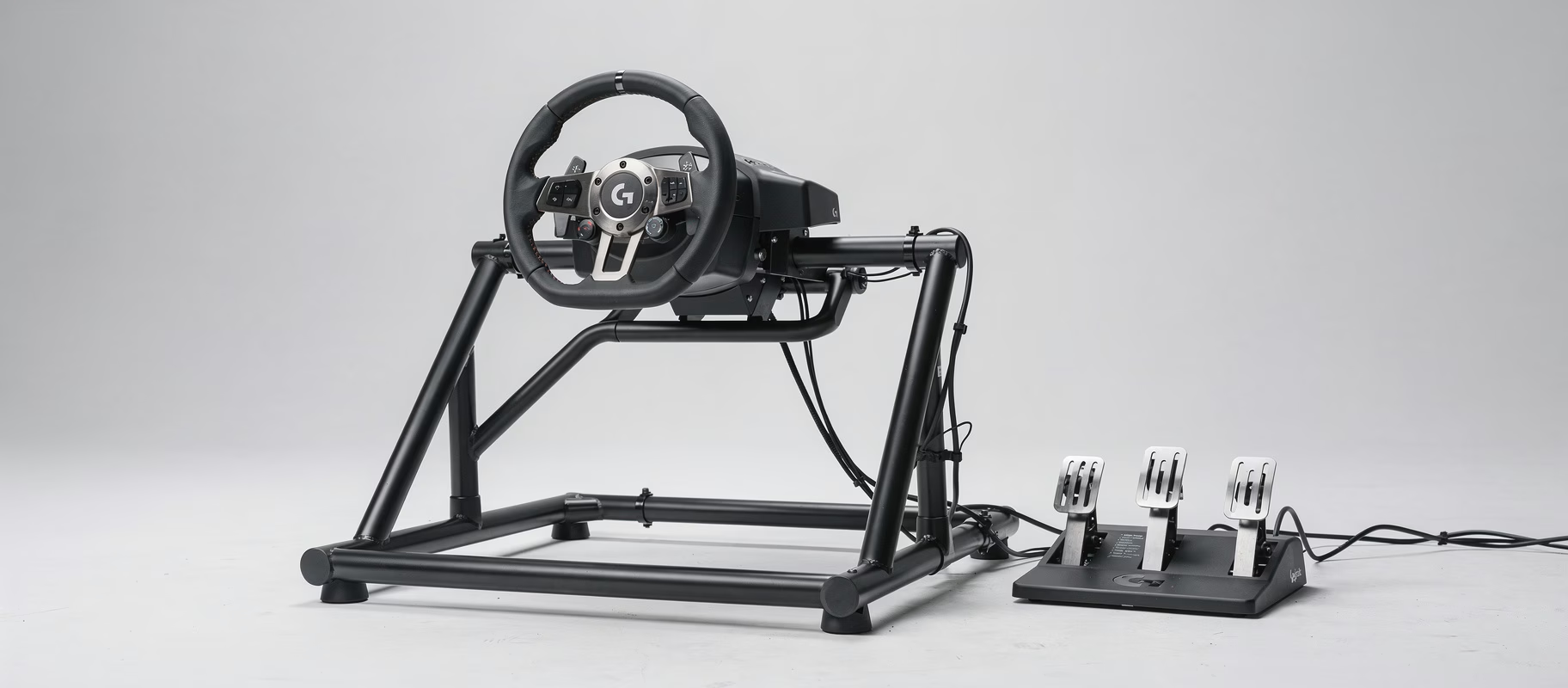
Quick basics. The RS50 is Logitech’s direct drive base with up to 8 Nm, TRUEFORCE support and a quick release for the wheel. You buy it on its own or as the Logitech G RS50 System - PlayStation & PC with hub and wheel. The RS Pedals with their load cell brake are a separate purchase (Logitech G blog, September 2025).
NASCAR 26 runs on PC, PS5 and Xbox Series X|S. So which RS50 you need depends on where you play. Logitech sells the RS50 System in PC, PS/PC and Xbox/PC versions. The PS/PC version doesn’t work on Xbox out of the box, but according to Logitech you can add Xbox with the separate RS Wheel Hub for Xbox. It doesn’t work the other way round: PlayStation support can’t be added later. So check you’ve got the right version before you start fiddling with force feedback.
Does TRUEFORCE just work automatically in every game?
No. TRUEFORCE translates physics and audio from the game into extra vibrations and forces in your wheel. But the game developer has to build it in with Logitech’s SDK (Logitech on TRUEFORCE). Without that integration you just get the game’s normal force feedback. Which can work fine, you only miss that extra layer.
For NASCAR 26 it hasn’t been confirmed, by Logitech or by iRacing Studios. And Logitech’s own NASCAR 25 table lists TRUEFORCE Audio as “N/A”. So don’t count on it. Check the patch notes and Logitech’s support page if you want to be sure.
How to set it up
Once more: nobody has officially tuned this exact combination. This is a sensible starting point, not a magic setting.
On the RS50 or in G HUB
- Strength: Logitech’s table assumes the full 8 Nm. Too heavy after a few stints? Turn the strength down, and according to Logitech lower the Dampener too, because those values are tuned for 8 Nm.
- FFB Filter and Dampener: copy the NASCAR 25 values from the table above (filter 5, dampener 20 on PC).
- Angle: per Logitech’s NASCAR 25 table, 900 degrees on PC, 450 on PlayStation and 2700 on Xbox. What matters: set Wheel Max Rotation in the game to exactly the same value. If the two don’t match, the wheel on screen won’t move in step with the wheel in your hands.
- Compatibility Mode: RS. If the game doesn’t recognise your wheel, try PRO mode. That’s Logitech’s own tip in the RS50 setup guide.
In NASCAR 26 itself
NASCAR 26 has settings including Steering Range, Wheel Max Rotation, an FFB Preset (High Torque or Low Torque), Driving Forces Strength, Collision, Friction and Spring Strength. How differently you can end up, you can see in the settings Team Conti’s drivers share. Their driver on a Logitech G PRO (also direct drive) uses the Low Torque preset with Driving Forces at 100 and Spring Strength at 0. Their driver on a Moza R5 goes with High Torque instead, with Driving Forces at 90.
So nobody knows for sure which preset suits the RS50 better. Try both. Then adjust Driving Forces Strength until you clearly feel the car without the wheel rattling or the force hitting its ceiling in long corners (clipping). Do it in small steps (5 to 10 points) and drive a few laps after each change.
Calibrating the RS Pedals for consistent braking
The RS Pedals have a load cell brake (rated to 75 kg): it measures how hard you press, not how far (Logitech G blog). In G HUB, the Brake Force setting decides how much force you need for 100% brake. The default is 22.5 kg, and the value is stored in the pedals’ own memory (Logitech support). You set it through G HUB on a PC, but because the pedals remember it, you benefit on console too. A few tips:
- Set Brake Force to what you can and want to press in an actual race, not what you manage once at full effort. Otherwise you only use part of the range in practice.
- Sensitivity defaults to 50, which is linear. Leave it there to start.
- In NASCAR 26, you shape the brake curve with Braking Non Linear and the Deadzone. Team Conti’s drivers differ here too: the G PRO driver brakes fully linear, the R5 driver runs Braking Non Linear 35 with a deadzone of 20. Linear is the most predictable starting point.
- Brake suddenly feels different after an update? Recheck your G HUB settings.
Got other load cell pedals, like the Heusinkveld Sprint 2-pedal set? Same logic, just in that pedal set’s own software. Note: the Sprint only works on PC.
Common misconceptions about the RS50 and NASCAR 26
- “You have to run the full 8 Nm.” No. Logitech’s table assumes 8 Nm, but a NASCAR race is long. If it gets heavy, turn the strength down and bring the Dampener down with it.
- “TRUEFORCE works automatically everywhere.” No, the developer has to build it in. For NASCAR 26 that hasn’t been confirmed.
- “The RS50 doesn’t work on Xbox.” Depends on the version. The PS/PC version doesn’t out of the box, but it does with the separate RS Wheel Hub for Xbox. And there’s also an Xbox/PC version of the RS50 System.
- “There must be a secret best setting somewhere.” Not a week after release. Even Team Conti’s drivers land on very different values.
What to do if the settings don’t feel right
If your baseline doesn’t feel good, work through these steps before you keep turning individual sliders:
- Update G HUB and the RS50’s firmware. Force feedback behaviour can change after a firmware update.
- Check the rotation matches. Angle on the RS50 and Wheel Max Rotation in the game must be the same. If they aren’t, steering quickly feels odd.
- Game doesn’t recognise the wheel properly? Put the RS50 in PRO compatibility mode.
- Reset the in-game FFB settings to default and build up in small steps from there, rather than copying a random value from a forum.
- Check Logitech’s support page after a big game update. New games get added there regularly.
What I’d do
Copy Logitech’s NASCAR 25 values onto the RS50: on PC, filter 5, dampener 20 and 900 degrees. Set Wheel Max Rotation in NASCAR 26 to the same 900 (on console, the angle from the table for your platform). Try both FFB presets, adjust Driving Forces Strength in small steps and start with a linear brake. If the full 8 Nm gets too heavy, turn strength and dampener down together. And keep an eye on Logitech’s official page, because once a NASCAR 26 row appears there, it wins.