New Direct Drive Base, Old Wheel, And A Whole Lot Of Frustration
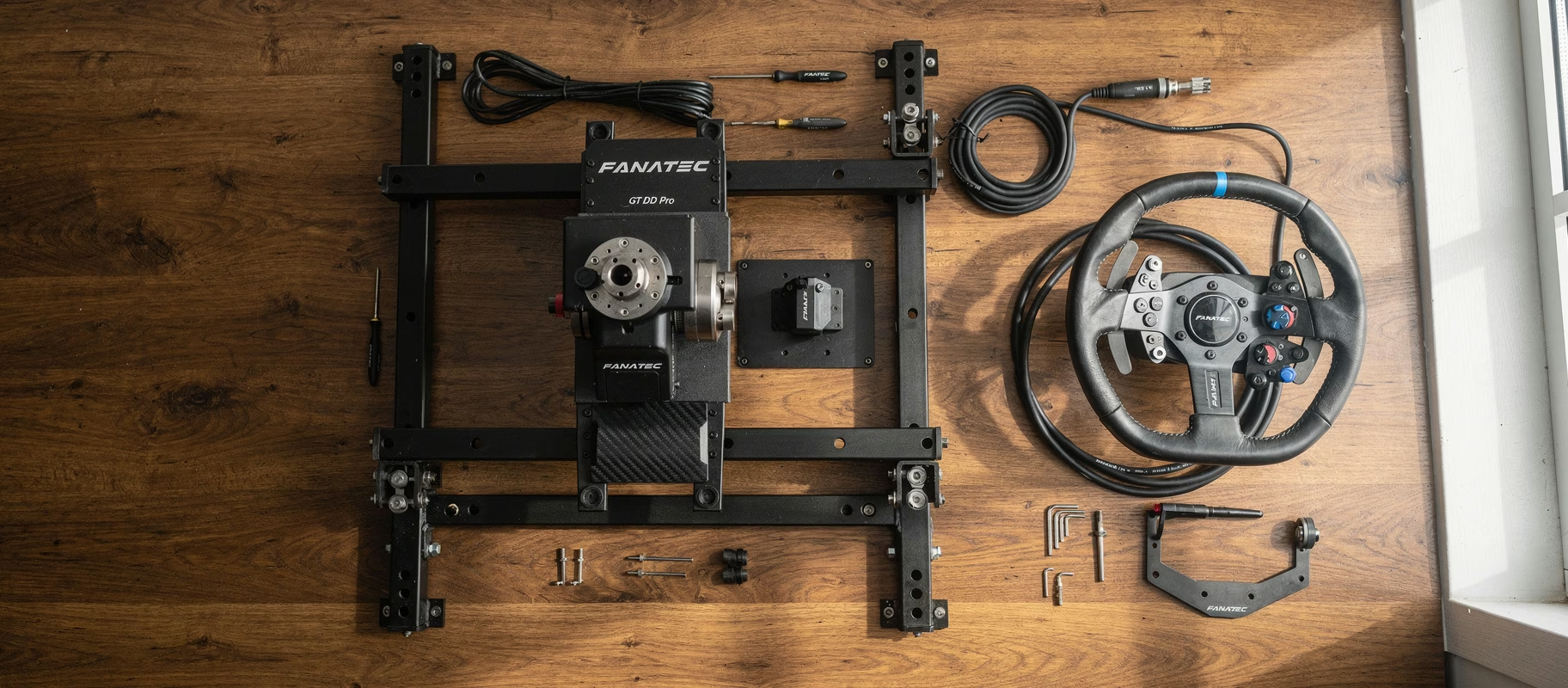
You finally got it. The Fanatec GT DD Pro is sitting on your rig, ready to make your Assetto Corsa sessions feel like a completely different sport. So you grab your old, trusty CSL Elite wheel, the one that’s carried you through countless races, and go to clip it on. Console powers up. And nothing. No input. No pairing screen. Just silence.
So you search online. You find three Reddit posts from 2019 and a half-answered forum thread. Someone insists you need to hold “the PS button on the base”. That button doesn’t exist. Sound familiar?
Let me save you two things: an evening of searching, and an order you didn’t need to place.
First Things First: Your Wheel Probably Does Have A PS Button
This is where almost everyone goes wrong, and it’s worth clearing up before anything else.
Nearly every Fanatec wheel has a button that reports as PS when it’s attached to a PlayStation base. What some wheels lack is the official PlayStation button cap, not the function. Fanatec says so themselves: the official PlayStation button caps only ship with a few licensed bundles, and their sticker set lets you lay out the same combination as a controller, minus the official logo button.
Straight from Fanatec’s own button-mapping tables:
- CSL Steering Wheel GT3: button 10 is Xbox “Guide” and PlayStation “PS”
- CSL Steering Wheel P1 V2: button 12 is PlayStation “PS”
- CSL Elite Steering Wheel McLaren GT3 V2: button 10, same deal
See it? That Xbox wheel with “Guide” printed on it is your PS button. The cap just says something else.
So before you order anything, pull up the quick guide for your specific wheel and find the mapping table. Odds are the button is already there.
And No, The Base Doesn’t Have A PS Button
This is the most persistent myth about the GT DD Pro, and it traces back to one forum reply that’s been copy-pasted for years.
There is exactly one button on the GT DD Pro housing: the power button, which doubles as the mode button. From Fanatec’s own manual, a short press while the base is on cycles through modes, and the LED colour in that button tells you which mode is active. Blue means PlayStation. There’s no pairing instruction via the base anywhere in that manual, for the simple reason that there’s nothing to pair.
Where the myth comes from: someone on GTPlanet saw the button glow blue in PlayStation mode and concluded it was the PS button. That’s the mode indicator. Different thing.
What you should check: is that LED blue? If not, short press until it is. That’s your PlayStation mode, and without it, nothing will happen.
The Real Problem Is The Quick Release
Now for the part you’re most likely actually stuck on.
The GT DD Pro hasn’t always shipped with the same quick release. The original run came with QR1 Lite. Since roughly May 2025, the base ships with QR2 Lite base-side preinstalled. So there are two possible bases under one product name, which is very helpful of Fanatec.
And here’s the sting: there is no adapter between QR1 and QR2. Fanatec is explicit about it. A wheel with QR1 won’t work on a base with QR2, and the reverse is equally dead. They have to match. Full stop.
So work out what you’ve actually got:
- Look at what’s on your base. QR1 Lite or QR2 Lite.
- Look at what’s on your wheel.
- Match? Then the wheel clips straight on and your problem is somewhere else.
- No match? Then you replace the wheel-side hub on your wheel, not the base.
For CSL wheels that part is the QR2 Lite Wheel-Side. For the heavier wheels it’s the aluminium QR2 Wheel-Side. Worth knowing: standalone availability of the QR2 Lite wheel-side comes and goes, so check stock before you build a plan around it. Converting your base back to QR1 isn’t a DIY job either, that needs Fanatec support.
So if you’re searching for a “QR1 to QR2 base adapter”, you can stop. It doesn’t exist.
Firmware First, Console Later
Connect the whole setup to a PC before you try it on console. Why? Because you can’t update firmware without a PC connection, and outdated firmware is the silent killer of compatibility here.
Open the Fanatec Control Panel, let it scan both the wheelbase and the wheel, and update everything to the latest version. Do this even if things already seem to work. Old firmware causes weird input lag and, sometimes, complete blackouts when switching between PC and console. Not fun to troubleshoot mid-race.
Mapping Buttons Without A Display
Older CSL Elite wheels don’t have an OLED screen for live tuning. That means all your mapping needs to happen beforehand, on your PC. No on-the-fly adjustments here.
Open the Fanatec Control Panel, head into the tuning menus, and assign every button you need. Save the profile to the base’s internal memory. The GT DD Pro remembers this even without a PC connection, so you’re not redoing it every session.
What If Your Wheel Genuinely Has No PS Input?
Rare, but say you’ve checked the mapping table and there’s truly nothing there. Two routes.
Option A: Map a combo button. Through the software you can often assign a button combination to act as the PS signal. Not elegant. Works though.
Option B: A different wheel. Annoying answer, sometimes the honest one.
What you don’t need: a Collective Minds Drive Hub. The box is real and it works fine, but its job is making non-licensed wheels work on PlayStation. Your GT DD Pro is already PlayStation licensed. The Drive Hub solves nothing here, and on PS5 it just adds another required controller to your desk.
When You Should Just Upgrade Instead
Sometimes it’s smarter to stop fighting old hardware. If you’re already investing in a direct drive base like the GT DD Pro, a wheel that matches your quick release saves you a lot of hassle.
The Fanatec CSL Steering Wheel GT3 and the Fanatec CSL Steering Wheel P1 V2 both ship with QR2 Lite wheel-side preinstalled, and both have a working PS button in the mapping. Base running QR2? These clip straight on. Still on QR1 and these are exactly the wheels that won’t fit, and the same story applies in reverse.
One difference worth knowing: the GT3 is Xbox licensed and works on PlayStation only through a PlayStation-licensed base like your GT DD Pro. The P1 V2 does PC and PlayStation, but not Xbox.
Also worth a look: the Fanatec CSL Elite Steering Wheel WRC and the Fanatec CSL Elite Steering Wheel Porsche Vision GT. Check the exact spec sheet of whichever version you’re eyeing, because Fanatec has released multiple revisions over the years without changing the model name. Confusing? Yes. Typical Fanatec? Also yes.
The Pedals Were Never The Problem, By The Way
Small reassurance: if you’re running Fanatec CSL Elite Pedals V2 alongside your wheel, you don’t need to worry about any of this. Pedals communicate through a separate cable directly to the base and have nothing to do with PS buttons or quick releases. They’re plug-and-play the moment the base itself gets recognized by the console. Load cell, adjustable spring tension, everything keeps working exactly as it should. This is purely a wheel-and-base issue.
Quick Recap For The Impatient
- Think your wheel has no PS button? Check the mapping table in its quick guide. It’s probably there, just wearing a different cap.
- Looking for the PS button on the base? It doesn’t exist. What’s there is the power button that cycles modes. Blue means PlayStation.
- Wheel won’t clip on? Quick release mismatch. QR1 and QR2 aren’t interchangeable and there’s no adapter. Replace the wheel-side hub on your wheel.
- Outdated firmware? Update via PC before trying anything on console.
- No display on the wheel? Map everything beforehand in the Control Panel.
Fanatec really should’ve documented this better, full stop. Two bases under one name, a button labelled “Guide” that fires PS, and a 2019 forum reply still doing the rounds. But if your quick release matches, that old CSL Elite genuinely still works on your GT DD Pro. You don’t have to throw it out. Not yet, anyway.