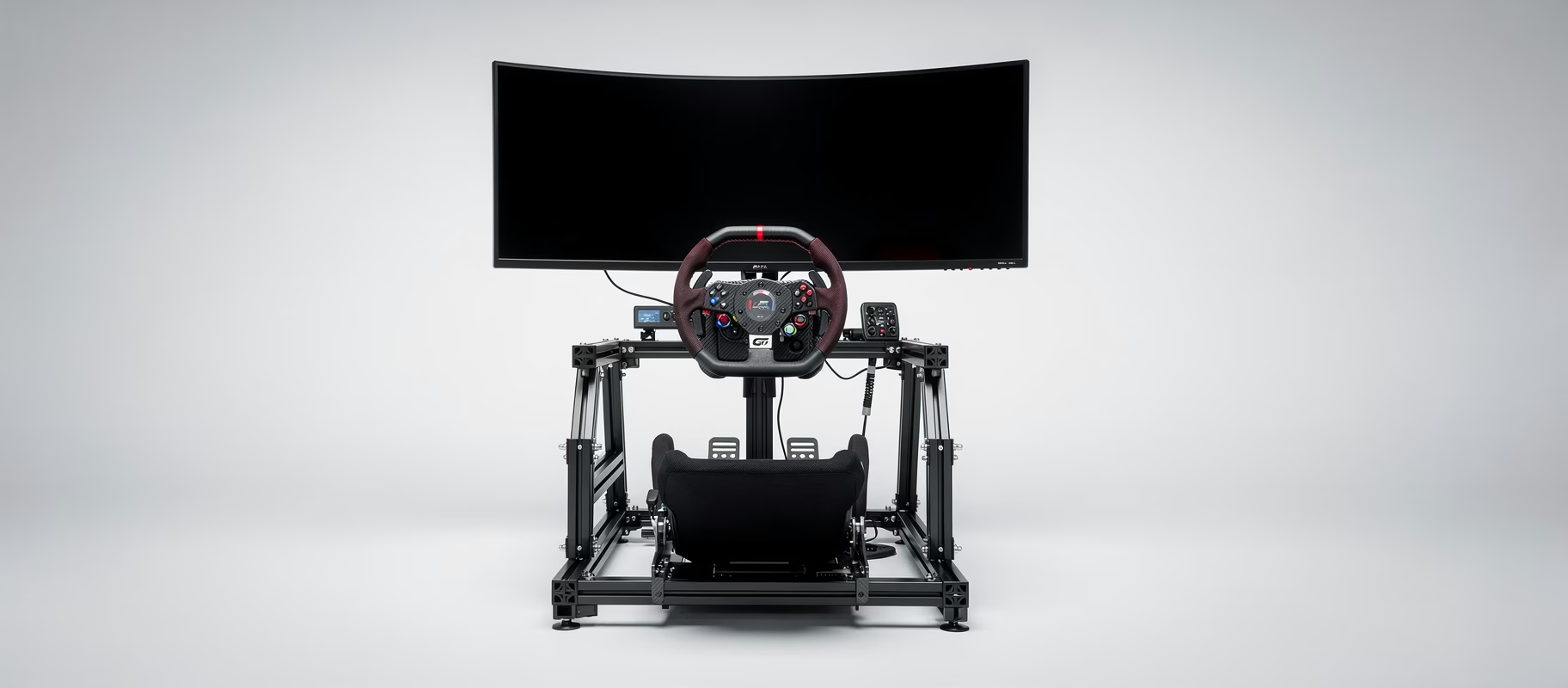
I sold a 34” ultrawide. After six months. It felt like a compromise that pleased no one, not wide enough for real immersion, too wide for normal use. It was the most expensive lesson in ‘almost good enough’ I’ve ever had. And now you’re probably asking the same question: do I go triple screen or one super-wide? Let’s figure that out. No marketing fluff. Just the hard facts and my (bitter) experience.
Your Desk Is A Battlefield
You don’t have a dedicated rig. No 80/20 monster cockpit swallowing a whole room. You have a desk. And that changes everything. The biggest constraint isn’t your budget, it’s your free real estate. And your patience for hassle. A triple screen setup on a desk is… challenging. Think monitor arms that wobble, cables everywhere, and a significant other asking if this is ‘normal’. It’s a project. A 49” ultrawide, on the other hand? You plonk it down. Done. But is it enough?
Let’s line up the contenders.
The 49” Ultrawide: The Easy Winner?
One screen. One DisplayPort cable. No bezel-free kits required. It’s plug-and-play in the purest sense. Screens like the Samsung Odyssey G9 or the newer OLED models give you a distortion-free, seamless 5120x1440 picture. No bezels. No fuss.
But.
That 32:9 aspect ratio gives you about 180 degrees of horizontal FOV if you sit close enough. Sounds good, right? The problem is vertical real estate. It feels like you’re looking through a mail slot. And that 180 degrees is theoretical. In practice, on a desk, you’re often further back than in a rig. So it becomes more like 150 degrees. Good, not great. You miss the true side-mirror experience. You never see your A-pillar. It’s a panoramic window, not a cockpit.
And the price? A good 49” starts around €1100. For that money…
Triple 27”: The Classic Weapon
This is the holy grail for a reason. Three 27” 1440p screens give you, with the right angle, a monstrous FOV well over 180 degrees. You see your side windows. You see a car next to you, actually next to you, not somewhere in your periphery. The immersion is unmatched.
But on a desk? It’s a nightmare.
You need three identical monitors (or you descend into color calibration hell). Three times the power. Three times the cables. You need a triple monitor arm that’s strong enough and has enough reach. Those aren’t cheap. And then you have to align them all. A process requiring patience, a tape measure, and probably spiritual cleansing. The GPU demands are also absurd. Three times 2560x1440 is 11 million pixels. That’s more than 4K. You need an RTX 4070 Ti or better for high refresh rates.
It’s the best experience. But the cost is high: money, space, and your sanity.
Triple 32”: Madness, or Genius?
Why stop at 27”? Go big or go home, right? Three 32” screens is the equivalent of piloting an IMAX theater from the front row. The FOV is so large you have to turn your head. The presence is absolute.
It’s also completely impractical for a desk.
The physical width is enormous. We’re talking nearly 2 meters wide. Does that fit on your desk? Really? The monitor arms need to be industrial-grade. Your GPU (think RTX 4080 or 4090) weeps. And the cost for three good 32” 1440p 165Hz monitors? Expect at least €1500, for the screens alone.
This is a dedicated rig setup. Full stop. On a desk, it’s a statement. A statement that says, “I have no friends who visit.”
The Unspoken Factor: Your GPU Will Weep
We have to talk performance. People forget this. Always.
- 49” Ultrawide (5120x1440): About 7.4 million pixels. Roughly 80% of 4K. An RTX 4070 or RX 7800 XT can handle this just fine.
- Triple 27” (7680x1440): 11 million pixels. Heavier than 4K. You want an RTX 4070 Ti Super or better.
- Triple 32” (usually 7680x1440, sometimes 8640x1440): 11-12.4 million pixels. RTX 4080 or 4090 territory.
Don’t buy screens for the GPU you hope to have. Buy them for the GPU you do have. Otherwise you’re running everything on low settings. What’s the point of all those pixels then?
My Take (You Can Disagree)
For 95% of people with a desk rig, the 49” ultrawide is the right answer.
Seriously.
It’s just enough immersion to feel amazing, without taking over your life. It’s tidy. It works for work and play. The performance demands are reasonable. It’s the grown-up choice.
Only choose triple 27” if:
- Your desk is sturdy and deep.
- You’re willing to spend €300+ on a proper triple monitor arm.
- You have a GPU that can push 11 million pixels at the fps you want.
- You don’t mind the hassle. And I mean really don’t mind.
Triple 32”? Forget it. Unless your desk is a workbench.
The Mounting Mess On A Desk
For triples: you need an arm. Individual stands are asking for alignment pain. Something like an Ergotron HX or similar heavy-duty arm is a must. Make sure your desk is thick enough for the clamp. A wobbly screen kills immersion dead.
For a 49”: a simple, sturdy monitor stand or a single heavy-duty arm (like the Amazon Basics arm, seriously, it’s good) will do. Get enough depth to pull the screen towards you.
So, What Should You Buy?
No product links, but guidelines.
- For the 49” path: Look at a Samsung Odyssey G9 (often on sale) or the LG 49WQ95X-W for better colors. Mini-LED or OLED is the peak, but pricey.
- For the triple 27” path: Three Gigabyte M27Q or LG 27GP850-B monitors. Consistency is key. And that Ergotron HX arm.
- Your GPU: Match it. A 49” with an RTX 4070. Triple 27” with a 4070 Ti Super or 7900 XT.
It boils down to this. The 49” is the pragmatic, brilliant all-rounder. Triple 27” is the dedicated, awkward, incredible pro-setup. Pick your battle.
I chose convenience first. Then performance. Now? I run triples. And I complain about adjusting them every single time. But when I win a race because of that mirror I can see? It almost makes it worth it. Almost.