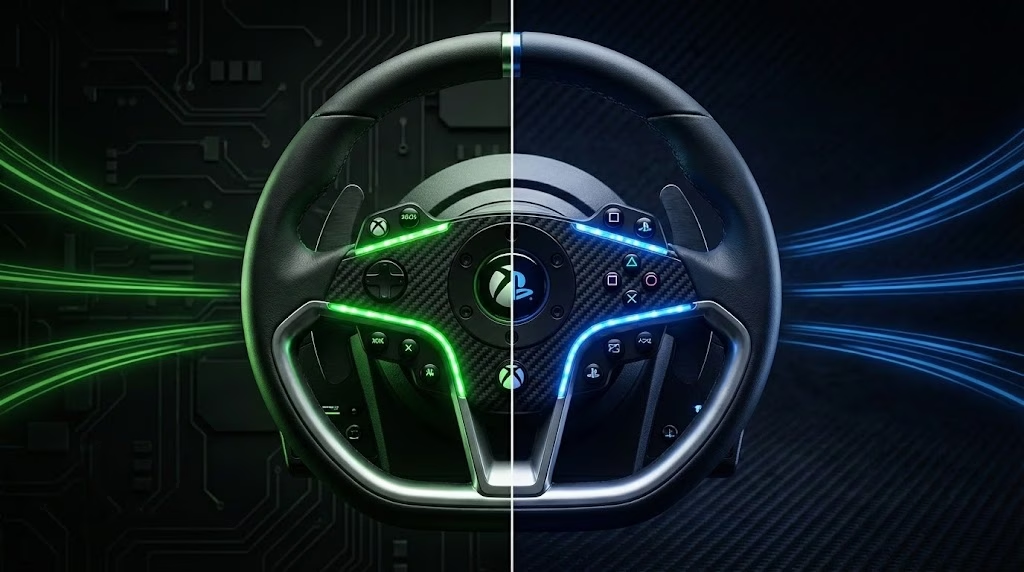
You just bought a beautiful Logitech G29, but now you find out your Xbox-owning friend can’t race with it. Frustrating? Absolutely. But there’s a system behind it.
The Short Version
Every console-compatible racing wheel contains a security chip from Sony or Microsoft. Without the correct chip, your console will refuse the wheel entirely, or force feedback won’t work. That’s why manufacturers sell separate Xbox and PlayStation versions of the same wheel.
Good news: There are ways to race on both platforms without buying two complete wheels.
Why Does This Lock Exist?
Sony and Microsoft require every force feedback accessory to contain a licensed security chip. This system has existed for nearly 20 years and gets stricter with each console generation.
The costs for manufacturers are substantial:
- PlayStation license: estimated at $500,000 per region per year
- Xbox license: similar amounts, plus mandatory certification testing
- Separate firmware maintenance per platform
This explains why high-end brands like Simucube and Simagic often stay PC-only: the licensing costs don’t justify the relatively small console market.
Your Options: From Budget to High-End
Option 1: Buy for One Platform (Simplest)
If you only have one console, just buy the correct version:
| Wheel | PlayStation Version | Xbox Version |
|---|---|---|
| Logitech G29/G920 | G29 (PS/PC) | G920 (Xbox/PC) |
| Logitech G923 | G923 for PS | G923 for Xbox |
| Thrustmaster T300/TX | T300 RS (PS/PC) | TX (Xbox/PC) |
| Thrustmaster T248 | T248 PS | T248 Xbox |
Note: Both versions always work on PC.
Option 2: Fanatec Ecosystem (Official Dual-Platform)
Fanatec designed a clever system:
- PlayStation chip lives in the wheelbase (e.g., Gran Turismo DD Pro)
- Xbox chip lives in the steering wheel (e.g., ClubSport Steering Wheel)
Combine both and you get official support for PS5, Xbox Series X, and PC.
Recommended Fanatec Combo for Dual-Platform:
| Component | Product | Function |
|---|---|---|
| Wheelbase | Gran Turismo DD Pro | PlayStation license |
| Wheel | CSL Steering Wheel (Xbox) | Xbox license |
| Pedals | CSL Pedals | Works via wheelbase |
Advantage: Fully official, no risk of firmware update blocks.
Disadvantage: You’re effectively paying for two licenses ($100-150 extra vs. single-platform setup).
Option 3: Logitech G Pro/RS50 Ecosystem (New)
Logitech’s new direct-drive system follows the same principle:
- PlayStation version: chip in the wheelbase
- Xbox version: chip in the steering wheel module
Mix the PlayStation base with an Xbox wheel for triple compatibility.
This is newer and pricier than Fanatec’s mid-range options, but interesting for those who want to stay in the Logitech ecosystem.
Option 4: Adapter (Cheapest, But With Risks)
Adapters like the Collective Minds DriveHub or Brook Wingman translate your wheel signals to the other platform.
How Does It Work?
The adapter pretends your PlayStation wheel is an Xbox wheel (or vice versa). Force feedback usually stays intact.
The Risks:
| Risk | Explanation |
|---|---|
| Firmware blocks | Microsoft actively blocked unauthorized adapters in 2023. Your adapter could stop working after a console update. |
| Extra controller needed | Many adapters require an original controller for authentication. |
| No warranty | Manufacturers won’t provide support if you use their wheel with an adapter. |
| Incomplete features | Some buttons or LEDs may not function correctly. |
When TO Use an Adapter:
- You already own an expensive wheel and don’t want to reinvest
- You accept it may be a temporary solution
- You primarily play on one platform and occasionally want to use the other
When NOT to Use an Adapter:
- You want worry-free racing on both platforms
- You’re buying new and can choose the right setup immediately
- You don’t want to depend on firmware updates
Decision Guide: Which Route Fits You?
Do you only play on PlayStation or only on Xbox? → Just buy the correct version of your favorite wheel. Done.
Do you play on both consoles and want one setup? → Invest in Fanatec (best value) or Logitech G Pro with mixed components.
Do you already have a wheel and want to use it on a second console? → Consider an adapter, but be aware of the risks.
Are you primarily a PC racer with occasional console use? → A PC-only direct-drive wheel (Moza, Simagic) plus an adapter for occasional console use can work.
Our Top Picks by Scenario
Best Budget Dual-Platform Setup
Fanatec CSL DD + GT DD Pro Base + CSL Steering Wheel (Xbox)
- Approximately $750-850 total
- Official PS5 + Xbox + PC support
- Excellent force feedback for the price
Best Mid-Range Single Platform
Thrustmaster T300 RS GT Edition (PlayStation) or TX (Xbox)
- Approximately $400-450
- Proven reliability
- Good upgrade path (T-LCM pedals)
Best Entry-Level Single Platform
- Approximately $250-300
- Includes pedals with clutch
- Great starting point for beginners
Best Adapter (If You Must)
Collective Minds DriveHub
- Approximately $90
- Supports most major brands
- Force feedback works on both platforms
The Future
Don’t expect Sony or Microsoft to open up their ecosystems anytime soon. Platform lock is deliberate policy: it generates licensing revenue and keeps users within their ecosystem.
The best strategy remains: choose carefully before you buy, or invest in a modular system that officially supports both platforms.
Frequently Asked Questions
Will my PS4 wheel work on PS5? Yes, if it was officially PS4-licensed. Sony has maintained backward compatibility for wheels.
Will my Xbox One wheel work on Xbox Series X? Yes, Xbox has maintained this as well.
Can I put a Thrustmaster wheel on a Fanatec base? No. The security chip is in specific components per brand. You must stay within one ecosystem.
Why doesn’t my PC wheel work on console? PC uses standard USB protocols without security chips. Console support requires specific hardware that only exists in licensed products.
What happens if I connect an unlicensed wheel? The console either won’t recognize it at all, or it will work as a basic controller without force feedback. Recent Xbox updates show specific error codes (0x82d60002) warning you about unauthorized accessories.
Are there any truly universal wheels? Not out of the box. The closest you get is Fanatec’s or Logitech’s modular approach where you combine PlayStation and Xbox components into one setup.
Have questions about which setup fits your needs? Drop a comment or reach out on our socials.