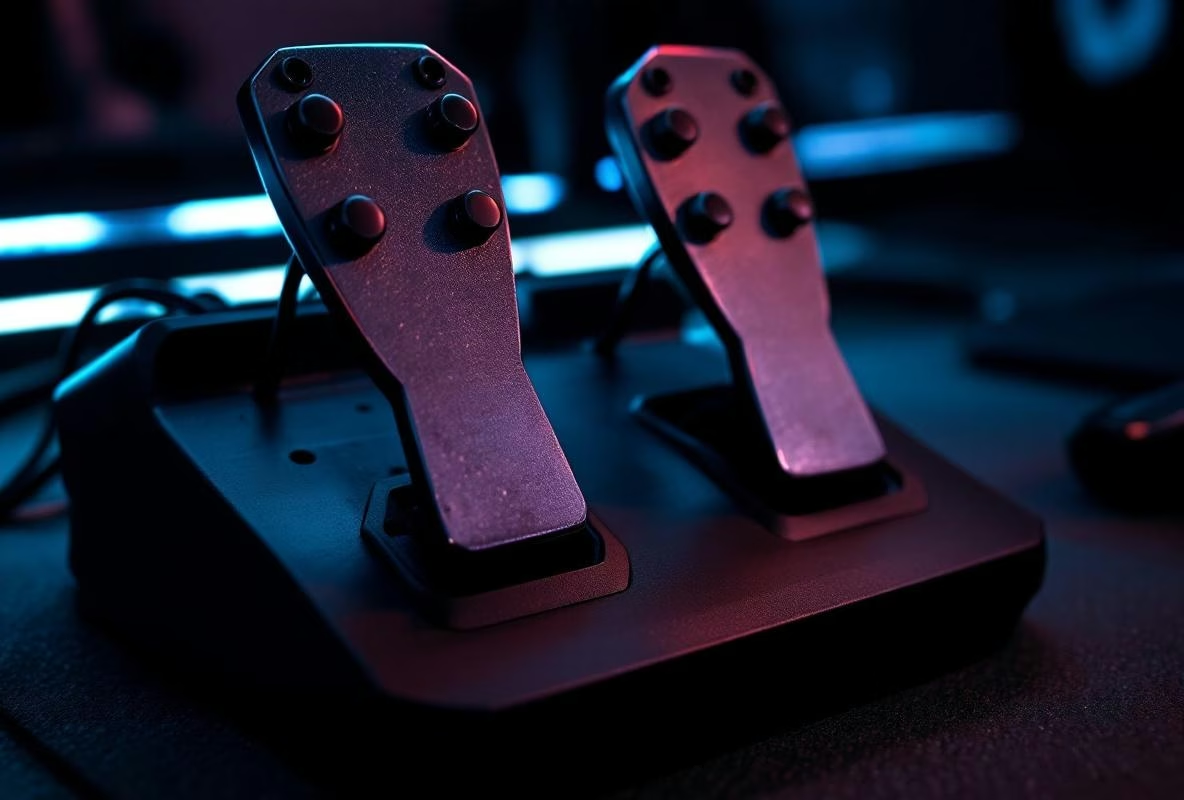
I punched my brake pedal straight through a plank of wood. True story. It was an old Logitech set, and I was so laser-focused on finding the perfect brake point in iRacing that I just pushed right through the rubber resistance. Crack. That was the moment I realized: I was driving blind. I had zero physical feedback. No vibration, no bite point, nothing. Just a pedal moving linearly into the void.
That had to change.
Tactile feedback on your pedals isn’t a luxury. It’s not an ‘elite’ nice-to-have. It’s the most direct line to your brain about what the car is doing, without needing to glance at a screen. ABS? You feel it hammering under your foot. Wheel slip? A nervous buzz. Brake point? A defined bump. It changes everything.
And the best part? You don’t need expensive Fanatec ClubSport V3 pedals or Heusinkveld Ultimates. With a few dozen euros in parts, a USB sound card, and Simhub (that glorious, free piece of software), you can build a system that puts commercial kits to shame.
Let’s get into it. This isn’t theory. This is a practical, sometimes messy, guide from the trenches.
The Shopping List (And The Marketing Nonsense To Ignore)
Let’s cut through the marketing crap first. You don’t need special ‘sim racing’ tactile actuators that cost €80 each. Absolutely not.
The core of your setup is three things:
- The Motors (Transducers): These are your vibrators. The community standard is the Dayton Audio BST-1 or BST-2. Powerful, affordable (around €55), reliable. But for pedals? You can go smaller. I personally use Tectonic TEBM35C10-4 exciter speakers. They’re flat, easy to mount, and cost around €15.95 each. Perfect.
- An Amplifier: The motors need power. A simple Lepai LP-2020TI or Nobsound Mini class-D amplifier is all you need. Costs between €26 and €80. Make sure it has enough wattage per channel (at least 20W RMS at 4 ohms for a BST-1).
- An External USB Sound Card: This is the key trick. You don’t want to fry your main sound card with low-frequency signals. A cheap Sabrent USB External Sound Adapter (around €11-€12) is your new best friend. Simhub sends its signals here, the amp picks them up.
Forget expensive ‘haptic driver boards’. An amplifier is all you need.
Mounting The Motors: Force Over Finesse
This is where most people mess up. They want it neat. They 3D print pretty brackets. That’s cute. But the only thing that matters is this: the vibration must transfer directly into the pedal or pedal plate. No rubber dampers. No soft spacers.
For a steel pedal plate: Use heavy-duty zip ties or metal hose clamps. Drill two small holes and bolt the thing on if you have to. Direct contact. Period.
For individual pedals (e.g., Heusinkveld Sprints): Trickier. You can fabricate small L-shaped aluminum brackets that attach to the side of the pedal arm, with the motor on top. Or, my favorite hack: mount flat exciters (like the Tectonics) directly to the back of the pedal faceplate using strong double-sided tape (3M VHB). Works shockingly well.
Angle? Straight on. The vibration needs to be perpendicular to the pedal surface. Mount it on an angle and you lose efficiency.
And think about wiring. Use thin, flexible speaker wire (18 AWG is fine). Route it so it doesn’t get caught in moving parts.
Wiring It All Up: It’s Easier Than You Think
Panicking? Don’t. Follow this:
- Plug the USB sound card into your PC.
- Use a 3.5mm jack to RCA cable to connect the output of the sound card to the input of your amplifier.
- Connect your tactile transducers to the speaker outputs of the amp. Mind the polarity (positive and negative), but if you get it wrong, you’ll know – the motor just moves poorly. Swap the wires and move on.
- Plug the amplifier into the wall.
That’s it. No soldering required (unless you’re making your own cables). It will look like a rat’s nest of wires behind your rig. Fine. It works.
Configuring Simhub: Where The Magic Happens
Now for the fun part. Fire up Simhub. Go to Shakeit Bass Shakers / Tactile.
First, the output: Under ‘Audio Device’, select your new USB sound card. Set its volume to 100%. You’ll control the final volume in the next step and on your amp’s dial.
Now, the effects. This is personal. Here’s my pedal foundation:
-
For the Throttle (Slip/Wheelspin):
- Effect: Sine Wave or Rumble.
- Trigger: Wheel Slip (or Tire Slip in some titles).
- Settings: Set a threshold (e.g., 10% slip). Low volume, high frequency (e.g., 80Hz). It should be a fine, nervous buzz that says “hey, the tires are singing, lift off”.
-
For the Brake (ABS, Brake Point, Lock):
- ABS: This is the big one. Effect: Sine Wave. Trigger: ABS Active. Frequency: around 60-70Hz for a solid ‘thump’. Play with the volume until it’s felt but not overwhelming. Set attack/decay delay to 0ms. You want it instantly.
- Brake Point / Pressure: Less common, but awesome. Effect: Constant. Trigger: Brake Pressure. Set a minimum and maximum pressure (e.g., 50% - 85% of your max brake force). The effect intensifies as you approach lock-up. It gives you physical progression.
- Wheel Lock: Effect: Rumble. Trigger: Wheel Lock. High frequency, sharp. A warning sting.
-
For the Clutch (Bite Point):
- If you have a clutch with a bite point sensor. Effect: Sine Wave Pulse. Trigger: Clutch Bite Point. A short, sharp pulse (e.g., 100Hz for 50ms) right at the engagement point. Priceless for consistent starts.
The golden rule: Less is more. Start with one effect per pedal (ABS on brake, slip on throttle). Test it. Then add another. If everything is buzzing at once, it’s an indecipherable mess of noise.
The Mistakes I Made (So You Don’t Have To)
- Cranking it too high: Your first instinct is to turn the amp knob to 11. The motors sound like an angry hornet and your whole rig rattles. Wrong. Set the volume in Simhub and on the amp so it’s subtly felt while driving. It should inform, not distract.
- Too many effects: You find all the triggers in Simhub and think “I’ll enable them all!” Result: a constant, meaningless rumble. Pick 2-3 informative triggers per pedal. Max.
- Poor mounting: If your motor is rattling or making a buzzing sound, it’s not mounted securely enough. More zip ties. More clamping force.
- Forgetting to run Simhub: It happens to the best of us. You join a race, feel nothing… then facepalm. Put Simhub in your Windows startup folder.
So, Is It Worth It?
Absolutely.
The first time you feel an ABS event without looking at a HUD is a revelation. You feel the car’s limits. Your reaction time to slip gets shorter because it’s a physical sensation, not a visual cue your brain has to process.
It adds a layer that sits between the FFB in your wheel and pure audio. It’s intimate. Direct.
It’s also a rabbit hole. First your pedals. Then maybe a transducer under your seat for engine rumble and gear shifts. Then one under the pedal plate for road texture. It never ends.
But start here. With your pedals. It’s the biggest gain for the least cash and effort.
Grab that amp, order those exciters, and get started. Your brake foot will thank you. And your lap times might, too.
Good luck.